How a Wine Drink Bottle Mockup Helps You Sell, Showcase, and Scale Your Brand
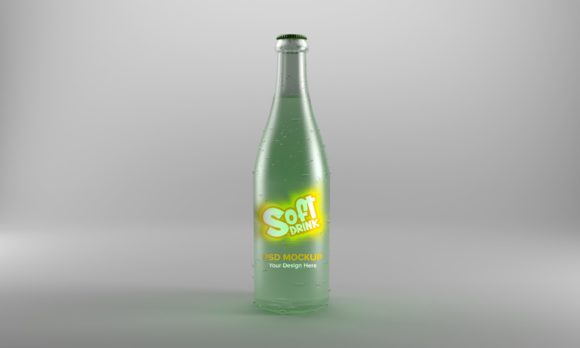
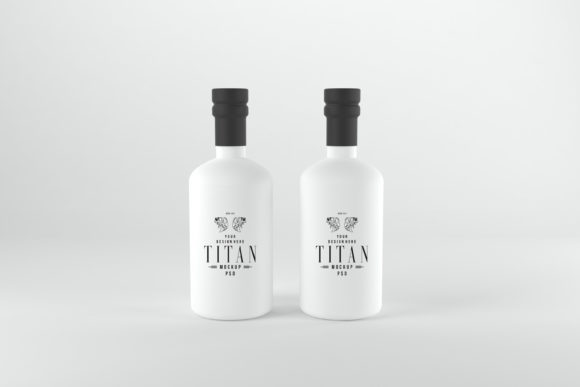
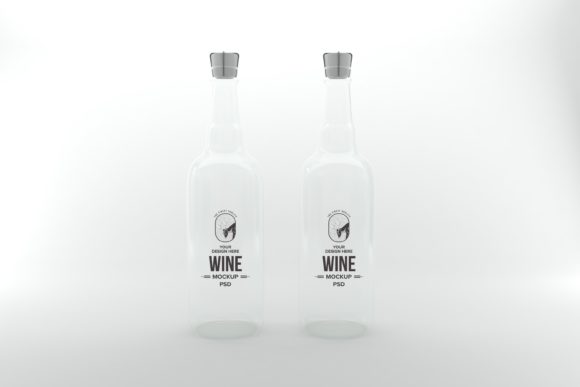
If you have ever tried to present a wine label design to a client or launch a private label wine without a physical bottle in hand, you already know the struggle. A flat digital file just does not communicate what a finished bottle looks like on a shelf, in a tasting room, or in a promotional photo. That is where a Wine Drink Bottle Mockup comes into play. It is essentially a high-resolution, editable template that places your label artwork onto a realistic 3D-rendered bottle. You drop your design into a smart layer, adjust a few settings, and suddenly your artwork looks like a real product ready for market.
This tool is not just for graphic designers. It is for anyone who needs to visualize, pitch, or promote a wine product without actually printing labels and filling bottles. The realism saves you time, money, and guesswork. And because you can produce multiple variations in minutes, you can test different label styles, color schemes, or brand stories before committing to a print run.
Where and Why People Reach for a Wine Bottle Mockup
The most common setting for a Wine Drink Bottle Mockup is the early stage of product development. Small wineries, craft beverage startups, and even home winemakers often need to present their concept to investors, distributors, or tasting room visitors. A mockup gives them something tangible to show. Instead of saying, “We are thinking of a minimalist label with gold foil,” you can actually hand someone a realistic image of that bottle. That shift from abstract idea to visual proof changes the conversation. People respond to what they can see.
Another major use case is digital marketing. Social media feeds, email newsletters, and e-commerce product pages all rely on strong visuals. A wine brand launching a new vintage or a seasonal blend needs photos that look professional and consistent. Shooting real bottles requires a photographer, a studio, lighting equipment, and often a batch of printed labels. A mockup eliminates those steps. You can create a hero image for an Instagram post, a banner for your website, or a thumbnail for an online store in under an hour. The mockup handles the reflections, shadows, and glass texture so your design looks like it belongs on a shelf.
Bloggers and content creators also use wine bottle mockups to produce review content, gift guides, or recipe posts. If you write about wine pairings or host a virtual tasting event, you might not have access to every label you want to feature. A mockup lets you create a cohesive visual for a “Top Five Summer Rosés” article or a “Wines Under $20” roundup without hunting down product shots from multiple sources. The result is a polished, branded look that keeps readers engaged.
Real Use Cases Across Different Audiences
Let us walk through a few specific scenarios to show how different people actually use a Wine Drink Bottle Mockup in their daily work.
Freelance Label Designers and Creative Agencies
Imagine you are a freelance graphic designer specializing in beverage branding. A client hires you to create a label for a new Pinot Noir. You design the artwork, choose the typography, and pick a color palette. Now you need to present it. If you send a flat JPEG of the label, the client has to imagine how it wraps around a bottle. They might miss how the label interacts with the glass color or how the neck foil looks. With a mockup, you send a photorealistic render. The client sees the full bottle, complete with highlights, shadows, and the curve of the glass. That single image often reduces the number of revision rounds because the client can actually see what works and what does not. You look more professional, and your proposal stands out.
Small Batch Winemakers and Boutique Vineyards
A small vineyard might produce only a few hundred cases of a particular vintage. They do not have the budget for a full marketing photoshoot every time they release a new wine. Yet they still need product images for their website, for the distributor catalog, and for the local wine festival booth. Using a Wine Drink Bottle Mockup allows them to generate all those images in-house. They can create one master mockup with their label and then generate multiple versions: a front-facing shot for the product page, a tilted angle for social media, and a lineup shot for a mixed case offer. The consistency across their marketing materials makes the brand look established, even if the winery is just getting started.
E-commerce Entrepreneurs and Wine Clubs
Subscription wine clubs and online retailers often feature wines from multiple producers. They need product photos that are consistent in style and lighting so the storefront looks cohesive. Instead of requesting individual product shots from each winery—which vary wildly in quality—they can use a standard Wine Drink Bottle Mockup with their own branded label overlay. This is especially useful for private label wines. If you run a wine club and sell your own exclusive blend, you control the label and the presentation. The mockup becomes your go-to tool for updating the product image every time you release a new batch or a seasonal offering.
Educators, Sommeliers, and Course Creators
Wine educators and course creators often develop tasting mats, study guides, or digital courses that feature wine labels. If you are teaching a module on label design, branding, or regional wine styles, you might want to show examples of how different labels communicate quality and origin. A mockup lets you create custom examples that illustrate your teaching point. You can show a side-by-side comparison of a minimalist label versus a ornate traditional label on the same bottle shape. That visual contrast reinforces the lesson in a way that a slide full of text cannot.
What to Consider Before Choosing a Wine Bottle Mockup
Not all mockups are created equal. Before you download or purchase one, think about your specific needs. The first consideration is the bottle shape and color. Wine bottles come in many forms: Burgundy, Bordeaux, tall flute, or unique craft shapes. A mockup of a standard Bordeaux bottle might not work for a sparkling wine or a dessert wine in a smaller format. Look for a mockup that matches the actual bottle you plan to use. If you are designing for multiple wine types, you might need a set that includes several bottle profiles.
Lighting and environment also matter. Some mockups place the bottle on a plain white background, perfect for e-commerce listings. Others show the bottle in a lifestyle setting—on a wooden table with glasses, near a window, or next to a cheese board. If you need images for a catalog or a product page, a clean studio mockup is best. If you are creating content for a blog or social media, a lifestyle mockup can add warmth and context. Decide where the image will appear and choose the mockup environment accordingly.
Resolution and file format are practical concerns. High-resolution mockups look great on a website or in print, but they also require more system resources. Make sure your computer can handle PSD files with smart objects. If you are working with a team that uses different software, look for mockups that come in multiple formats or that are compatible with online editors like Canva or Photopea. Some mockups include editable shadows, reflections, and background colors, which give you more creative control.
Licensing is another factor you should not ignore. Many mockups are free for personal use but require a license for commercial projects. If you are designing labels for clients or selling products with those labels, you need a mockup that covers commercial use. Read the terms carefully. A few extra dollars upfront for a licensed mockup saves you from legal headaches later.
How Different Users Benefit in Different Situations
The value of a Wine Drink Bottle Mockup changes depending on who you are and what you are trying to accomplish. For a freelance designer, the benefit is credibility and speed. You can say yes to more projects because you can turn around presentations quickly. For a small winery, the benefit is cost savings and control. You do not have to outsource photography every time you update a label. For an e-commerce seller, the benefit is consistency and scalability. You can maintain a uniform look across hundreds of product listings without hiring a photographer.
Even hobbyists benefit. If you are a home winemaker who gives bottles as gifts during the holidays, a mockup lets you design a custom label and see how it looks before you print it on adhesive paper. That simple step helps you avoid misalignment or poor color choices. You end up with a gift that looks thoughtful and polished, not something that screams DIY.
Bloggers and social media managers benefit from the ability to create themed content around wine. Suppose you are planning a “Wine and Cheese Pairing” series. You can use a mockup to generate a consistent visual style for each post. That visual consistency builds brand recognition. Followers start associating that particular bottle angle and lighting with your recommendations. It is a subtle but effective way to strengthen your online presence.
Practical Tips for Getting the Most Out of a Mockup
When you first open a Wine Drink Bottle Mockup, take a few minutes to understand the layer structure. Most quality mockups use smart objects. You double-click the smart object layer, paste in your label artwork, save, and the mockup updates automatically. If the label wraps around the bottle, make sure your design accounts for the curve. Stretching a flat design onto a cylindrical bottle can distort text and logos. Some mockups include a guide layer that shows you where to position key elements. Use that guide.
Pay attention to the neck and foil area. A complete wine label design often includes a neck label or a capsule. If your mockup supports those elements, use them. A bottle with a bare neck looks unfinished, even if the front label is beautiful. Similarly, consider the bottle color. A green glass bottle will affect how certain label colors appear. If you are designing a label with bright whites or pastels, test it on both clear and green glass mockups to see which one looks better.
Do not be afraid to experiment with multiple angles. Many mockup sets include front, side, three-quarter, and top-down views. Use the front view for product listings, the three-quarter view for social media, and the top-down view for flat lay photography. Having a variety of angles makes your marketing materials feel more dynamic. You can create a cohesive look without repeating the exact same image across every channel.
Finally, keep a library of your mockup files organized. If you are a designer or a brand manager, you will reuse the same mockup for every new release. Save a master template with your logo and branding elements already in place. That way, when a new vintage comes out, you only need to update the label artwork. The mockup file becomes a reusable asset that speeds up your workflow every season.
A Wine Drink Bottle Mockup is a simple tool with surprisingly broad applications. Whether you are designing labels, marketing a small winery, running a wine club, or creating educational content, it gives you the power to present your work in a realistic, professional light. You skip the expensive photoshoot, avoid the guesswork of flat proofs, and produce images that actually look like a finished product. For anyone working with wine branding, packaging, or content, it is one of those resources you wonder how you did without.