How a Soft Drink Bottle Mockup Transforms Your Packaging Design Workflow
When you are developing a new beverage brand or refreshing an existing one, the moment your label design leaves the screen and enters the physical world is critical. A soft drink bottle mockup bridges that gap between digital concept and tangible reality. It gives designers, marketers, and brand managers a powerful tool to visualize, refine, and present their packaging ideas without the expense of a full production run. In a competitive market where shelf appeal can make or break a product, understanding how to leverage these mockups effectively is a skill worth mastering.
What Exactly Is a Soft Drink Bottle Mockup?
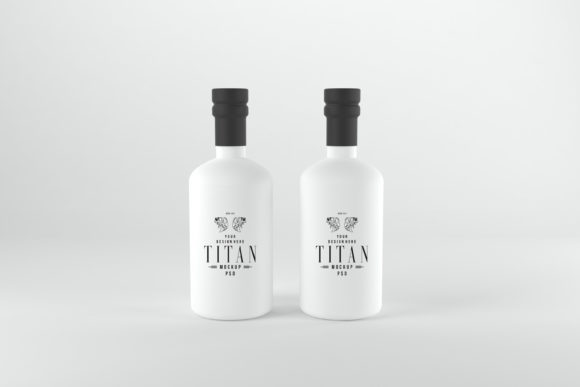
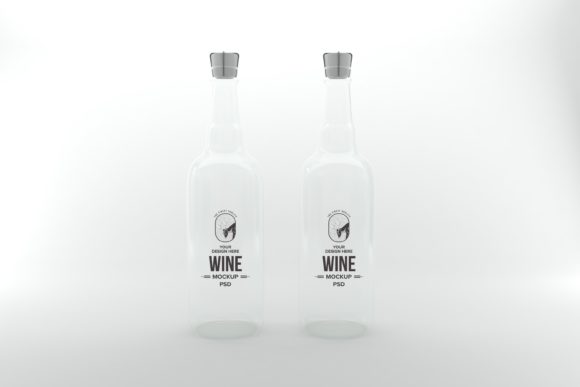
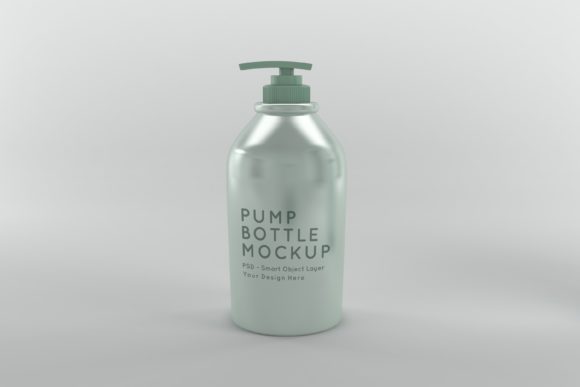
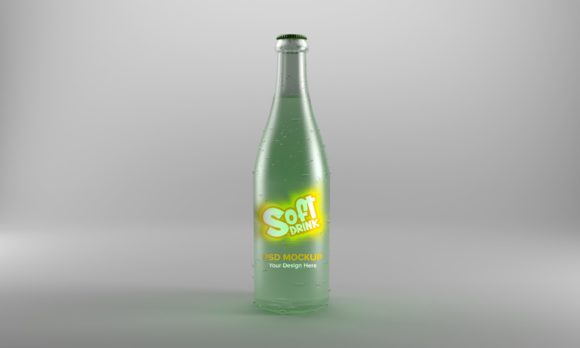
At its core, a soft drink bottle mockup is a pre-designed template, typically a layered PSD file, a Figma component, or a high-resolution PNG with smart object layers, that allows you to insert your own label artwork into a realistic 3D representation of a bottle. These mockups range from simple front-facing views to complex scenes featuring multiple angles, condensation effects, ice cubes, and environmental lighting. They are not just placeholders; they are carefully crafted visual simulations designed to mimic the final product as closely as possible.
Unlike a flat digital rendering, a good mockup captures the subtle curvature of the glass or plastic, the way light interacts with the liquid inside, and the tactile sensation of the label wrapped around the container. This level of detail is what makes them indispensable for client presentations, e-commerce listings, and social media teasers.
Why Designers and Brands Rely on Bottle Mockups
The shift toward remote work and rapid prototyping has made mockups more relevant than ever. Here are several key reasons why a soft drink bottle mockup has become a staple in modern packaging workflows.
Cost-Effective Iteration
Printing a single prototype bottle with a custom label can cost anywhere from a few hundred to several thousand dollars, especially if you need multiple variations. Mockups allow you to test five, ten, or even twenty label designs in a single afternoon. You can experiment with color palettes, typography placement, and logo sizes without any financial risk. This freedom encourages more creative exploration and often leads to a stronger final design.
Realistic Client and Stakeholder Presentations
Abstract flat files can be difficult for clients to interpret. They might not fully grasp how a label will wrap around a curved surface or how the bottle will look in a retail environment. By presenting your design inside a soft drink bottle mockup, you provide a realistic preview that builds confidence. Stakeholders can see the design in context, which reduces the back-and-forth revision cycle and speeds up approvals.
E-Commerce and Marketing Assets
If you are launching a new beverage on Amazon, your own website, or a crowdfunding platform, you need high-quality product images. Hiring a photographer for a full photoshoot of a drink bottle can be expensive and time-consuming. A well-crafted mockup can produce studio-quality images in minutes. You can generate hero shots, ingredient callouts, and lifestyle scenes all from the same base mockup file.
Key Qualities to Look for in a Soft Drink Bottle Mockup
Not all mockups are created equal. To get the most value from your investment or free download, consider these factors before choosing a soft drink bottle mockup for your next project.
- Resolution and Scalability: Look for mockups that are at least 300 DPI and offer a canvas size of 4000px or larger. This ensures your final images are sharp enough for both digital display and print collateral like sell sheets or brochures.
- Smart Object Layers: The best mockups use smart objects. This feature lets you double-click a layer, paste your design, save, and see it instantly mapped onto the bottle with correct perspective and shading. Avoid mockups that require manual distortion or alignment.
- Multiple Angles and Scenes: A single front view is useful, but a comprehensive mockup set includes isometric views, close-ups of the label, and perhaps a shot with the bottle cap visible. This variety gives you flexibility for different marketing channels.
- Lighting and Shadow Control: Some mockups come with adjustable lighting layers or background options. Being able to dim or brighten the scene, or swap the backdrop from white to a supermarket shelf, adds enormous versatility.
- Realistic Material Rendering: Pay attention to how the mockup handles reflections, transparency, and label adhesion. A plastic bottle will look different from a glass one, and a glossy label differs from a matte one. The best mockups simulate these material properties convincingly.
Integrating Mockups into a Modern Design Workflow
Today's design workflows are fast, collaborative, and cloud-based. A soft drink bottle mockup fits seamlessly into this ecosystem. After you finish your label design in tools like Adobe Illustrator or Affinity Designer, you import it into Photoshop or Canva to apply the mockup. The result can be exported as a JPEG or PNG and dropped directly into a presentation deck, a Figma prototype, or an email campaign.
Many design teams now share mockup files through cloud storage or template libraries, making it easy for junior designers and freelancers to maintain brand consistency. If you work with external agencies, providing them with a branded soft drink bottle mockup ensures that every visual asset they create aligns with your packaging direction.
Practical Scenario: A Brand Refresh
Imagine a mid-sized soda company wants to update its look for a younger demographic. The design team creates three distinct label directions: one minimalist, one retro, and one bold and colorful. Using a single mockup file, they generate realistic images of each option. They then place these images side-by-side in a survey sent to a test group. Within 48 hours, they have statistically significant feedback on which direction resonates most. This entire process, from concept to data, takes less than a week and costs virtually nothing in physical materials. Without mockups, this test would take a month and require hundreds of dollars in prototype shipping.
Considerations When Choosing Free vs. Premium Mockups
The internet is full of free soft drink bottle mockup resources, but they come with trade-offs. Free mockups often have lower resolution, limited angles, watermarks, or restrictive licenses. They work well for practice, student projects, or internal brainstorming. However, for commercial use, premium mockups are usually a better investment.
Premium mockups from marketplaces like Envato Elements, Creative Market, or Placeit offer several advantages:
- Higher quality rendering with realistic liquid and glass effects.
- Commercial licenses that allow you to use the resulting images in advertising and product packaging.
- Often include editable elements such as background color, shadow intensity, and condensation.
- Customer support and updates if file formats change with software upgrades.
That said, always read the license terms carefully. Some premium mockups restrict use in certain types of merchandise or require attribution.
Common Mistakes to Avoid
Even experienced designers can run into pitfalls when working with bottle mockups. Here are a few to watch out for.
Ignoring the Curve: A label that looks flat on screen will appear distorted when wrapped around a cylinder. The smart object in a good mockup handles this automatically, but if you manually place artwork, you must account for perspective and curvature. Always test your design in the mockup early in the process.
Overcrowding the Design: Real bottles have limited readable surface. A mockup can tempt you to add too much detail because you can zoom in endlessly. Remember that consumers see the bottle from a distance on a shelf. Keep typography large enough to read and logos prominent.
Neglecting the Cap and Neck: Many mockups include the bottle cap and neck area. If your brand uses a custom cap color or a distinctive neck label, make sure your mockup represents those elements accurately. A mismatched cap can undermine the realism of your presentation.
Using the Same Mockup for Every Output: A mockup that looks stunning on Instagram might not work for a billboard or a print catalog. Tailor your mockup choice to the final medium. Use high-resolution, studio-style mockups for print and simpler, lighter mockups for web and social media to keep file sizes manageable.
Final Thoughts on Leveraging Bottle Mockups
A soft drink bottle mockup is more than just a design tool. It is a communication device, a validation instrument, and a time-saving asset that belongs in every packaging designer's toolkit. Whether you are a solo freelancer working on a local kombucha brand or part of a large team launching a global soda line, mockups help you see what others will see before you commit to production.
The best approach is to build a small library of go-to mockups that cover different bottle shapes, lighting conditions, and perspectives. Test your designs in multiple contexts. Show them to peers and clients. Iterate quickly. With the right mockup, you can turn a flat label into a vivid product story that stands out in a crowded marketplace.